このページでは、codeblockの応用編を解説する。ここで解説しているものは、文字数が足りないので看板ではなくcode blockに書くことを前提としている。
各ページはサイドバーから
お知らせ New!
callback関数を使用したコードのページを作成しました。WorldCodeに関するコードを書く場合はこちらにかいてください。
こちらから御覧ください⬇️
コマンド/Press to code/callback
⚠️注意⚠️ New!
コマンドについての質問はコメントではなくQandAで質問してください
目次
概要
コマンド/Press to codeに入りきらない応用編のコードを解説していく
ここではPress to codeの解説はしていない Press to codeについて知りたい人はこちら→コマンド/Press to code
そのままコピーペーストして使うことができるが変数を入力しないといけない場所もあるので注意
CodeLoader_V2
本体コードは長いため、こちらに置いてあります:
https://github.com/kentaki65/CodeLoader_V2/tree/main
主な機能:
- 自動読み込み(AutoLoad)
- 文字数制限 16,000 文字以上に対応
- F8 を押しても本体コードが露出しない
- コードのロード / アンロード(停止)
詳しくは GitHub を参照してください。それでもわからなければ、コード本体を GPT に読み込ませて解説させることも可能です。
美しい曲線を作成するコード

 let Pos1, Pos2, Pos3;
 let selectedBlocks = [];
 let blockQueue = [];
 let undoStack = [];
 tick = () => {
    const maxPerTick = 20;
    for (let i = 0; i < maxPerTick && blockQueue.length > 0; i++) {
        const { pos, block } = blockQueue.shift();
        const blockToSet = Array.isArray(block) ? block[0] : block;
        api.setBlock(pos, blockToSet);
    }
 };
 function cubicBezier(t, p0, p1, p2, p3) {
    const u = 1 - t;
    const tt = t * t;
    const uu = u * u;
    const uuu = uu * u;
    const ttt = tt * t;

    return [
        uuu * p0[0] + 3 * uu * t * p1[0] + 3 * u * tt * p2[0] + ttt * p3[0],
        uuu * p0[1] + 3 * uu * t * p1[1] + 3 * u * tt * p2[1] + ttt * p3[1],
        uuu * p0[2] + 3 * uu * t * p1[2] + 3 * u * tt * p2[2] + ttt * p3[2],
    ];
 }
 function perpendicular2D(vec) {
    return [-vec[2], 0, vec[0]];
 }
 function midpoint(p1, p2) {
    return [
        (p1[0] + p2[0]) / 2,
        (p1[1] + p2[1]) / 2,
        (p1[2] + p2[2]) / 2,
    ];
 }
 function enqueueBlock(pos, block) {
    blockQueue.push({ pos, block });
 }
 onPlayerSelectInventorySlot = (playerId, slotIndex) => {
    const held = api.getHeldItem(playerId);
    if (!held || held.name !== "Wood Axe") return;

    if (!Pos1 || !Pos3) return;

    const isLine = !Pos2;
    const p2 = isLine ? midpoint(Pos1, Pos3) : Pos2;
    const steps = 120;

    for (let i = 0; i <= steps; i += 5) {
        const t = i / steps;
        const pos = cubicBezier(t, Pos1, p2, p2, Pos3);
        const [x, y, z] = pos;
        api.playParticleEffect({
            dir1: [-1, -1, -1],
            dir2: [1, 1, 1],
            pos1: [x, y + 1, z],
            pos2: [x + 1, y + 2, z + 1],
            texture: "bubble",
            minLifeTime: 10.0,
            maxLifeTime: 10.0,
            minEmitPower: 2,
            maxEmitPower: 2,
            minSize: 0.25,
            maxSize: 0.35,
            manualEmitCount: 20,
            gravity: [0, 0, 0],
            colorGradients: [
                {
                    timeFraction: 0,
                    minColor: [60, 60, 150, 1],
                    maxColor: [200, 200, 255, 1],
                },
            ],
            velocityGradients: [
                {
                    timeFraction: 0,
                    factor: 0,
                    factor2: 0,
                },
            ],
            blendMode: 1,
        });
    }
 };
 onPlayerChangeBlock = (pId, x, y, z, fromBlock) => {
    const held = api.getHeldItem(pId);
    if (!held || held.name !== "Wood Axe") return;
    api.setBlock(x, y, z, fromBlock);
    selectedBlocks.push(fromBlock);
    api.sendMessage(pId, `ストックに ${fromBlock} を追加しました(${selectedBlocks.length}個目)`);
 };
 playerCommand = (pId, command, args) => {
    const pos = api.getPosition(pId);

    if (command === "pos1") {
        Pos1 = pos;
        api.sendMessage(pId, "Pos1 を設定しました");
        return true;
    }
    if (command === "pos2") {
        Pos2 = pos;
        api.sendMessage(pId, "Pos2 を設定しました");
        return true;
    }
    if (command === "pos3") {
        Pos3 = pos;
        api.sendMessage(pId, "Pos3 を設定しました");
        return true;
    }
    if (command === "clear") {
        selectedBlocks = [];
        api.sendMessage(pId, "ストックをクリアしました");
        return true;
    }
    if (command === "undo") {
        if (undoStack.length === 0) {
            api.sendMessage(pId, "元に戻スモモのがありません");
            return true;
        }
        const last = undoStack.pop();
        for (const { pos } of last) {
            enqueueBlock(pos, "Air");
        }
        api.sendMessage(pId, "直前の設置を元に戻しました");
        return true;
    }
        if (command === "setcurves" || command === "setline") {
        if (!Pos1 || !Pos3 || (command === "test" && !Pos2)) {
            api.sendMessage(pId, "Pos1~Pos3を設定してください");
            return true;
        }
        const p2 = (command === "setline") ? midpoint(Pos1, Pos3) : Pos2;
        const steps = 120;
        const placed = [];
        for (let i = 0; i <= steps; i++) {
            const t = i / steps;
            const nextT = Math.min((i + 1) / steps, 1);
            const pos = cubicBezier(t, Pos1, p2, p2, Pos3);
            const nextPos = cubicBezier(nextT, Pos1, p2, p2, Pos3);
            const tangent = [nextPos[0] - pos[0], 0, nextPos[2] - pos[2]];
            const len = Math.hypot(tangent[0], tangent[2]);
            if (len === 0) continue;
            const dir = [tangent[0] / len, 0, tangent[2] / len];
            const normal = perpendicular2D(dir);
            for (let j = 0; j < selectedBlocks.length; j++) {
                const offset = j - Math.floor(selectedBlocks.length / 2);
                const bx = Math.floor(pos[0] + normal[0] * offset);
                const bz = Math.floor(pos[2] + normal[2] * offset);
                const by = Math.floor(pos[1]);
                const blockType = selectedBlocks[j];
                if (blockType) {
                    const bpos = [bx, by, bz];
                    enqueueBlock(bpos, blockType);
                    placed.push({ pos: bpos });
                }
            }
        }
        undoStack.push(placed);
        api.sendMessage(pId, `${command} で設置を実行しました`);
        return true;
    }
    return false;
 };
〔使い方〕
✅️ブロックの種類を登録する
- 木の斧を持って壊したいブロックを壊す(壊しても元に戻る)と、そのブロックがストックに追加されます
- /clearコマンドを使うことでストックをリセットできます
- 追加される順番は壊した順です。何個でも登録できます
✅️3つのposを設定する
/pos1 ← 起点
/pos2 ← 中央点
/pos3 ← 終点
- カーブの真ん中がpos2に引っ張られます
- pos1とpos3の高さを変えると勾配を作れます
- 最初は難しいですがコツを掴めば美しいカーブが描けるようになります
✅️カーブを敷設する
/setcurves
- /setcurvesを使うと、先ほど設定したposに合わせてカーブが敷設されます。
- 敷設したカーブをもとに戻したいときは /undo コマンドを使うと直前の状態に戻せます
✅️直線を敷設する
/setline
- /setlineを使うとpos1とpos3を結んだ直線が敷設されます この場合pos2は自動決定されます
- またこれも /undo を使うともとに戻すことが出来ます
❓️どうやったらうまく出来る?
- pos1,(カーブだったらpos2),pos3を設定した状態で木の斧を持つと曲線上にパーティクルが表示されます これを使って微調整してください

- 穴が開く場合は変数stepsの値を100から120くらいに変更してください またこの値が高いほど穴が開きづらくなりますが中断される可能性が高くなります

これ使うときはクレジットにケンタキって入れてほしいな...
簡単階段作成
簡単に階段を作成できるコード 意外と短いです
Z+方向に階段は伸びていきます 横はX+方向です
もしZ-方向に階段を伸ばしたいなどであればs_code_posとg_code_posを変えればできます
code_pos = [0,0,0];       /*ここに階段を作りたい場所を入力(階段の一番左下)*/
count = 0;
while(count < 10){        /*ここの右の数に何段にするか入力*/
width = 5;                /*ここの数に横の長さを何マスにするか入力*/
s_code_pos = [code_pos[0],code_pos[1] + count,code_pos[2] + count];
g_code_pos = [code_pos[0] + width,code_pos[1] + count,code_pos[2] + count];
blockName = "Stone";      /*ここに階段のブロックを入力(英語)*/
api.setBlockRect(s_code_pos,g_code_pos,blockName);
count++
}
ドレミファソラシド(サウンド)(半音あり)
みんなドとか何ピッチとか難しいので張っておきます。これとtickを組み合わせれば曲が作れるのかな??
普通ピッチを2倍にすると一オクターブ高い音になるんですがちょっとずれてますが許して(
harpの方がピアノっぽいのですが全部beepにしてしまって直すのが大変なので中だけharpにしました
一オクターブ低い音
低いドからミはピッチが低すぎてでません
/*低ド*/    api.playSound(myId,"beep",1,0.78059);
/*低ド#*/   api.playSound(myId,"beep",1,0.41343);
/*低レ*/    api.playSound(myId,"beep",1,0.43805);
/*低レ#*/   api.playSound(myId,"beep",1,0.46417);
/*低ミ*/    api.playSound(myId,"beep",1,0.48814);
ここから音がでます
/*低ファ*/  api.playSound(myId,"beep",1,0.51703);
/*低ファ#*/ api.playSound(myId,"beep",1,0.54740);
/*低ソ*/    api.playSound(myId,"beep",1,0.58000);
/*低ソ#*/   api.playSound(myId,"beep",1,0.61481);
/*低ラ*/    api.playSound(myId,"beep",1,0.65185);
/*低ラ#*/   api.playSound(myId,"beep",1,0.69037);
/*低シ*/    api.playSound(myId,"beep",1,0.73111);
中心
/*中ド*/    api.playSound(myId,"harp_pling",1,0.77481);
/*中ド#*/   api.playSound(myId,"harp_pling",1,0.82074);
/*中レ*/    api.playSound(myId,"harp_pling",1,0.86962);
/*中レ#*/   api.playSound(myId,"harp_pling",1,0.92148);
/*中ミ*/    api.playSound(myId,"harp_pling",1,0.97629);
/*中ファ*/  api.playSound(myId,"harp_pling",1,1.02962);
/*中ファ#*/ api.playSound(myId,"harp_pling",1,1.09555);
/*中ソ*/    api.playSound(myId,"harp_pling",1,1.16074);
/*中ソ#*/   api.playSound(myId,"harp_pling",1,1.23037);
/*中ラ*/    api.playSound(myId,"harp_pling",1,1.30370);
/*中ラ#*/   api.playSound(myId,"harp_pling",1,1.38074);
/*中シ*/    api.playSound(myId,"harp_pling",1,1.46296);
二オクターブ高い音
/*高ド*/    api.playSound(myId,"beep",1,1.55037);
/*高ド#*/   api.playSound(myId,"beep",1,1.64222);
/*高レ*/    api.playSound(myId,"beep",1,1.74000);
/*高レ#*/   api.playSound(myId,"beep",1,1.84370);
/*高ミ*/    api.playSound(myId,"beep",1,1.95333);
/*高ファ*/  api.playSound(myId,"beep",1,2.06888);
/*高ファ#*/ api.playSound(myId,"beep",1,2.19185);
/*高ソ*/    api.playSound(myId,"beep",1,2.32222);
/*高ソ#*/   api.playSound(myId,"beep",1,2.46074);
/*高ラ*/    api.playSound(myId,"beep",1,2.60740);
/*高ラ#*/   api.playSound(myId,"beep",1,2.76222);
/*高シ*/    api.playSound(myId,"beep",1,2.92666);
三オクターブ高い音
/*高高ド*/  api.playSound(myId,"beep",1,3.10074);
/*高高ド#*/ api.playSound(myId,"beep",1,3.28444);
/*高高レ*/  api.playSound(myId,"beep",1,3.48000);
/*高高レ#*/ api.playSound(myId,"beep",1,3.68740);
/*高高ミ*/  api.playSound(myId,"beep",1,3.90666);
和音例 ドミソド
api.playSound(myId,"beep",1,0.78059);
api.playSound(myId,"beep",1,0.98358);
api.playSound(myId,"beep",1,1.16940);
api.playSound(myId,"beep",1,1.56194);
同時にはなりませんがこれ以外できないので我慢 あと全部一気にやると耳壊れるのでしないでください
もし間違えていたりなんか音違うなって思ったら教えて
演奏してみる
鉄道唱歌
 let melody = [
    { note: 'F4', duration: 12 },
    { note: 'F4', duration: 12 },
    { note: 'F4', duration: 12 },
    { note: 'G4', duration: 12 },

    { note: 'A4', duration: 12 },
    { note: 'A4', duration: 12 },
    { note: 'rest', duration: 6 },
    { note: 'A4', duration: 12 },
    { note: 'G4', duration: 12 },

    { note: 'F4', duration: 12 },
    { note: 'F4', duration: 12 },
    { note: 'F4', duration: 12 },
    { note: 'D4', duration: 12 },

    { note: 'rest', duration: 6 },
    { note: 'D4', duration: 12 },
    { note: 'D4', duration: 12 },

    { note: 'rest', duration: 6 },
    { note: 'D4', duration: 12 },
    { note: 'F4', duration: 12 },

    { note: 'F4', duration: 12 },
    { note: 'F4', duration: 12 },
    { note: 'A4', duration: 12 },
    { note: 'A4', duration: 12 },

    { note: 'G4', duration: 12 },
    { note: 'G4', duration: 12 },
    { note: 'F4', duration: 12 },

    { note: 'A4', duration: 12 },
    { note: 'C4', duration: 18 },
    { note: 'F4', duration: 12 },
 ];
 let noteRates = {
    'C4': 1.56194,  // ド
    'D4': 1.75222,  // レ
    'E4': 1.85670,  // ミ
    'F4': 2.08358,  // ファ
    'G4': 2.33880,  // ソ
    'A4': 2.62686,  // ラ
    'B4': 2.78208,  // シ
    'C5': 3.12388,  // 高ド
    'D5': 3.50444,  // 高レ
 };

 let currentNoteIndex = 0;
 let noteCounter = 0;

 tick = (dt) => {
    if (currentNoteIndex >= melody.length) return;

    let current = melody[currentNoteIndex];

    if (noteCounter === 0) {
        api.getPlayerIds().forEach(playerId => {
            let rate = noteRates[current.note];
            if (rate !== undefined) {
                api.playSound(playerId, "beep", 1, rate, { playerIdOrPos: playerId });
            }
        });
    }
    noteCounter++;
    if (noteCounter >= current.duration) {
        currentNoteIndex++;
        noteCounter = 0;
    }
}鉄道唱歌を演奏するコード みんな聞いたことあるはず
ドレミの歌(ドだけ)
 let melody = [
   { note: 'C4', duration: 12 },  // ドー
   { note: 'D4', duration: 6 },  // レー
   { note: 'E4', duration: 12 },  // ミー
   { note: 'C4', duration: 6 },   // ド
   { note: 'E4', duration: 12 },  // ミー
   { note: 'C4', duration: 8 },   // ド
   { note: 'E4', duration: 12 },  // ミー
 ];

 let noteRates = {
   'C4': 1.56194,  // ド
   'D4': 1.75222,  // レ
   'E4': 2.00000,  // ミ
   'F4': 2.08358,  // ファ
   'G4': 2.33880,  // ソ
   'A4': 2.62686,  // ラ
   'B4': 2.78208,  // シ
   'C5': 3.12388,  // 高ド
   'D5': 3.50444,  // 高レ
 };

 let currentNoteIndex = 0;
 let noteCounter = 0;

 tick = (dt) => {
   if (currentNoteIndex >= melody.length) return;
   let current = melody[currentNoteIndex];
   if (noteCounter === 0) {
       api.getPlayerIds().forEach(playerId => {
           let rate = noteRates[current.note];
           if (rate !== undefined) {
               api.playSound(playerId, "beep", 1, rate, { playerIdOrPos: playerId });
           }
       });
   }
   noteCounter++;
   if (noteCounter >= current.duration) {
       currentNoteIndex++;
       noteCounter = 0;
   }
 };
同じ感じでドレミの歌のドーナツのドの例 これは全員聞いたことある
タイムアタックするプログラム
タイムアタックができるものを作ってみた
レースやアスレチックで使えるものだ
結構汎用性は高いと思う
ブロックの名前を書くだけでいいので簡単だ
プログラムはこちら
 const START_BLOCK = "スタートするブロック";
 const GOAL_BLOCK = "ゴールするブロック";
 const RESET_BLOCK = "一回スタートしたけどもう一回リセットするブロック";
 const playerStartTimes = new Map();
 const playerLastStates = new Map();
 tick = () => {
    const playerIds = api.getPlayerIds();
    for (const playerId of playerIds) {
        const standingBlocks = api.getBlockTypesPlayerStandingOn(playerId);
        const isOnStart = standingBlocks.includes(START_BLOCK);
        const isOnGoal = standingBlocks.includes(GOAL_BLOCK);
        const isOnReset = standingBlocks.includes(RESET_BLOCK);
        // 前回の状態を取得(なければ初期化)
        const lastState = playerLastStates.get(playerId) || {
            onStart: false,
            onGoal: false,
            onReset: false
        };
        if (!playerStartTimes.has(playerId)) {
            if (isOnStart && !lastState.onStart) {
                playerStartTimes.set(playerId, Date.now());
                api.sendMessage(playerId, "スタート!", { color: "yellow" });
            }
        } else {
            if (isOnReset && !lastState.onReset) {
                playerStartTimes.delete(playerId);
                api.sendMessage(playerId, "やり直してタイマーをストップしました", { color: "yellow" });
            }
            else if (isOnGoal && !lastState.onGoal) {
                const startTime = playerStartTimes.get(playerId);
                if (startTime !== undefined) {
                    const endTime = Date.now();
                    const elapsedSeconds = ((endTime - startTime) / 1000).toFixed(2);
                    const playerName = api.getEntityName(playerId);
                    api.broadcastMessage(
                        `${playerName}が${elapsedSeconds}秒でゴールしました`,
                        { color: "yellow" }
                    );
                    playerStartTimes.delete(playerId);
                }
            }
        }
        playerLastStates.set(playerId, {
            onStart: isOnStart,
            onGoal: isOnGoal,
            onReset: isOnReset
        });
    }
 };
円を作るプログラム
円を作るのは手置きじゃ難しいのでプログラムで置きましょう
もしブロックの真ん中を中心にしたい場合は
xとzの小数点以下を.5にするといいです
 const centerX = 0.5;
 const centerY = 0;
 const centerZ = 0.5;
 const radius = 10; //半径

 let angle = 0;
 const angleStep = 5; // 度単位、角度が細かいほど滑らか

 while (angle < 360) {
    const radians = angle * Math.PI / 180;
    const x = Math.round(centerX + radius * Math.cos(radians));
    const z = Math.round(centerZ + radius * Math.sin(radians));
    const y = centerY;

    api.setBlock(x, y, z, "Block of Diamond");

    angle += angleStep;
 }
球を作るプログラム
球は円よりもっと難しいのでプログラムで作りましょう
でも半径が7ぐらいまでしか繰り返せないので完全な円はどうやるのかは難しいです
tickとかでもできそうなのでできる人は改良してください(他力本願)
あと中心をブロックの真ん中にしたい場合はxyzすべてに.5を付けるとよいです
 const centerX = 0.5;
 const centerY = 0.5;
 const centerZ = 0.5;
 const radius = 10; //半径

 const blockName = "Block of Diamond";
 const thickness = 0.5; // 表面の厚み許容範囲(いじらなくてもよし)

 let x = -radius;
 while (x <= radius) {
    let y = -radius;
    while (y <= radius) {
        let z = -radius;
        while (z <= radius) {
            const distance = Math.sqrt(x * x + y * y + z * z);
            if (Math.abs(distance - radius) <= thickness) {
                const worldX = centerX + x;
                const worldY = centerY + y;
                const worldZ = centerZ + z;
                api.setBlock(worldX, worldY, worldZ, blockName);
            }
            z++;
        }
        y++;
    }
    x++;
}違法アイテム入手コード
コマンド/Press to code/違法アイテム入手コード?
建築鯖プロテクタ簡単置き (または平面上で等間隔に置く)
プロテクタを置くときめんどくさいですよね
簡単に置くcodeを作りました
x1,z1,x2,z2,y(,chunkSize)を変更してください
x1からx2 z1からz2の間にブロックが置かれるようになります
変数の間隔(x1とx2の間隔,z1,z2の間隔)を1000以下ぐらいにするといいです
yはブロックを置く高さです Flatで建築するなら30または62(31,63にプロテクタを置くことになる 31に置いたら-31まで 63に置いたら0までプロテクタ保護される)
32は間隔です(プロテクタ以外で使う場合は変えてもいいです 例えば平面上に等間隔にブロックを置きたいときなど)
間隔32だったとすると
ワールドの0,0が境目の中心になるように間隔が生成されます
32*32の中のx0,z0に置かれます
もしx0,z0以外に置きたいならxなどに+1など調整をしてください
プログラム▼
 let x1 = 0;
 let z1 = 0;
 let x2 = 128;
 let z2 = 128;
 let y = 62;
 let chunkSize = 32;
 let startX = x1 - (x1 % chunkSize);
 let startZ = z1 - (z1 % chunkSize);
 for (let x = startX; x <= x2; x += chunkSize) {
  for (let z = startZ; z <= z2; z += chunkSize) {
    api.setBlock(x, y, z, "Block of Diamond");
  }
 }
まるばつゲーム(赤青ゲーム)
まるばつゲームを再現しました
赤青ゲームです
よく読んで使ってください
まるばつゲームのcodeblockの本体の置き方はこちらです
リセットする用のcodeblockはまた別の場所に置いてください(脇がいいです)
全て3マスずつ離しておいてください
中の数字はまるばつゲーム本体のプログラムにある一番最初の行の
Mb_ch_Number = 中の数字;
の場所を中の数字にしてください
zが奥の方向ver
| ↑ | 2 | 5 | 8 |
| ↑ | 1 | 4 | 7 |
| z | 0 | 3 | 6 |
| / | x | → | → |
xが奥の方向ver(違ってるかもしれない)
| ↑ | 8 | 7 | 6 |
| ↑ | 5 | 4 | 3 |
| x | 2 | 1 | 0 |
| / | z | → | → |
まずまるばつゲームをリセットする用のcodeblockです
これはcodeblockを違う場所に置いて使ってください
変える場所はMb_rposの場所です
ここを0番目のcodeblockの場所を書いてください
 Mb_rpos = [0,0,0]; //ここを表の0番目のcodeblockの座標を書く
 Mb_rpos = [Mb_rpos[0] - 2,Mb_rpos[1] - 1,Mb_rpos[2] - 2]
 Mb_ch = [0,0,0,0,0,0,0,0,0];
 is_turn = 1;

 Mb_ch_Number = 0;

 for(Mb_ch_Number = 0; Mb_ch_Number < 9; Mb_ch_Number++){

	Mb_x_ofset_pos = Math.floor(Mb_ch_Number / 3) * 4;
	Mb_z_ofset_pos = (Mb_ch_Number % 3) * 4;

	Mb_start_pos = [Mb_pos[0] + Mb_x_ofset_pos,Mb_pos[1],Mb_pos[2] + Mb_z_ofset_pos];
	Mb_goal_pos = [Mb_start_pos[0] + 2,Mb_start_pos[1],Mb_start_pos[2] + 2];

	api.setBlockRect(Mb_start_pos,Mb_goal_pos,"White Wool")
 }
 wins = 0;
win = "false" Mb_ch_Number = 中の数字;
Mb_x_ofset_pos = Math.floor(Mb_ch_Number / 3) * 4;
Mb_z_ofset_pos = (Mb_ch_Number % 3) * 4;
Mb_start_pos = [Mb_pos[0] + Mb_x_ofset_pos,Mb_pos[1],Mb_pos[2] + Mb_z_ofset_pos];
Mb_goal_pos = [Mb_start_pos[0] + 2,Mb_start_pos[1],Mb_start_pos[2] + 2];
if(Mb_ch[Mb_ch_Number] == 0){
Mb_ch[Mb_ch_Number] = is_turn;
if(is_turn == 1){
api.setBlockRect(Mb_start_pos,Mb_goal_pos,"Red Wool")
is_turn++
}else{
is_turn = 1;
api.setBlockRect(Mb_start_pos,Mb_goal_pos,"Blue Wool")
}
}
if(wins == 0){
win = "false"
for (i = 0; i < 9; i = i + 3){
if( (Mb_ch[i] != 0) && (Mb_ch[i] == Mb_ch[i + 1]) && (Mb_ch[i] == Mb_ch[i + 2]) ){
win = "true"
}
}
for (i = 0; i < 3; i++){
if( (Mb_ch[i] != 0) && (Mb_ch[i] == Mb_ch[i + 3]) && (Mb_ch[i] == Mb_ch[i + 6]) ){
win = "true"
}
}
if( (Mb_ch[0] != 0) && (Mb_ch[0] == Mb_ch[4]) && (Mb_ch[0] == Mb_ch[8]) ){
win = "true"
}
if( (Mb_ch[2] != 0) && (Mb_ch[2] == Mb_ch[4]) && (Mb_ch[2] == Mb_ch[6]) ){
win = "true"
}
if(win == "true"){
if(is_turn == 1){
api.broadcastMessage("[OXゲ一ム]",{color : "yellow"})
api.broadcastMessage("青が勝ちました",{color : "blue"})
}else{
api.broadcastMessage("[OXゲ一ム]",{color : "yellow"})
api.broadcastMessage("赤が勝ちました",{color : "red"})
}
wins++
}
}World Builderでグリッドを表示させる方法
※注意点※
・誤差あり
・重くなる可能性あり
 let count = 0;
 let pos1 = null;
 let pos2 = null;
 let posSelected1 = false;
 let posSelected2 = false;
 let Obtained = false;
 let vertices = [];
 playerCommand = (myId, command) => {
    if (command === "/pos1") {
        let position_one = api.getPosition(playerId);
        pos1 = position_one.map(Math.floor);
        posSelected1 = true;
    }

    if (command === "/pos2") {
        let position_two = api.getPosition(playerId);
        pos2 = position_two.map(Math.floor);
        posSelected2 = true;

        if (posSelected1 && posSelected2) {
            let x_min = Math.min(pos1[0], pos2[0]);
            let x_max = Math.max(pos1[0], pos2[0]);
            let y_min = Math.min(pos1[1], pos2[1]);
            let y_max = Math.max(pos1[1], pos2[1]);
            let z_min = Math.min(pos1[2], pos2[2]);
            let z_max = Math.max(pos1[2], pos2[2]);

            vertices = [
                [x_min, y_min, z_min], [x_min, y_min, z_max],
                [x_min, y_max, z_min], [x_min, y_max, z_max],
                [x_max, y_min, z_min], [x_max, y_min, z_max],
                [x_max, y_max, z_min], [x_max, y_max, z_max]
            ];
            Obtained = true;
        }
    }
    if (command.startsWith("/fill") || command.startsWith("/set")){
        posSelected1 = false;
        posSelected2 = false;
        return;
    }
 }
 function tick() {
    count++;
    if (count % 60 === 0 && posSelected1 && posSelected2) {
        if (posSelected1) showEffectAtPos(pos1, [255, 0, 0], [255, 0, 50]);
        if (posSelected2) showEffectAtPos(pos2, [0, 105, 180], [0, 105, 180]);
        if (Obtained) {
            vertices.forEach(vertex => showEffectAtPos(vertex, [255, 255, 0], [255, 200, 0]));
            showEdges(vertices);
        }
    }
 }

function showEffectAtPos(position, minColor, maxColor) {
    api.playParticleEffect({
        dir1: [-1, -1, -1],
        dir2: [1, 1, 1],
        pos1: [position[0] - 0.5, position[1] - 0.5, position[2] - 0.5],
        pos2: [position[0] + 0.5, position[1] + 0.5, position[2] + 0.5],
        texture: "generic_2",
        minLifeTime: 0.5,
        maxLifeTime: 3,
        minEmitPower: 1,
        maxEmitPower: 2,
        minSize: 0.5,
        maxSize: 0.5,
        manualEmitCount: 40,
        gravity: [0, 0.01, 0],
        colorGradients: [{ timeFraction: 0, minColor, maxColor }],
        velocityGradients: [{ timeFraction: 0, factor: 0, factor2: 0 }],
        blendMode: 1
    });
 }

 function showEdges(vertices) {
    const edges = [
        [0, 1], [0, 2], [0, 4], [1, 3], [1, 5], [2, 3],
        [2, 6], [3, 7], [4, 5], [4, 6], [5, 7], [6, 7]
    ];

    edges.forEach(([startIdx, endIdx]) => {
        const start = vertices[startIdx];
        const end = vertices[endIdx];

        const steps = 10;
        for (let i = 0; i <= steps; i++) {
            const t = i / steps;
            const point = [
                start[0] + (end[0] - start[0]) * t,
                start[1] + (end[1] - start[1]) * t,
                start[2] + (end[2] - start[2]) * t
            ];
            showEffectAtPos(point, [255, 255, 255], [200, 200, 255]);
        }
    });
}- よく使うコールバック関数について解説しました。ほかにも面白いコールバック関数はたくさんあるので公式リファレンスを覗いてみてください
by kentaki
buyコマンド公式
Game Competition winnersのMine Simulaterのbuyコマンドです2000Gold CoinでMoonstone Pickaxeが買えるコードです。
あと結構見やすいのとbuyItemなどを簡単に変えられるのが特徴です。
 const buyItem="Moonstone Pickaxe"
 const buyAmount=1
 const customBuyItemName="Moonstone Pickaxe"
 const priceItem="Gold Coin"
 const priceAmount=2000
 if(api.getInventoryItemAmount(myId,priceItem)>=priceAmount)
 {api.removeItemName(myId,priceItem,priceAmount)
 api.giveItem(myId,buyItem,buyAmount,{customDisplayName:customBuyItemName})}
 else{api.sendMessage(myId,"You can\'t afford this!",{color:"yellow"})}
無限XP
XPをクリックするだけで入手できるcodeを使うとき、通常なら300が限界だが、限界値を変えることでさらにたくさんのXPを一度に入手できる。
例文:
//コードブロックに書く
 api.setClientOption(myId,"maxAuraLevel",20000000)
 api.setAuraLevel(myId, 200000000)
延々と同じレベルにするには..
//ワールドコードに書く
const x = レベルの数を入れてね
tick = () => {
  for(const id of  api.getPlayerIds()){
    api.setClientOption(id, "maxAuraLevel", x)
    api.setAuraLevel(id, x)
  }
}をワールドコードに打てばいい。
⚠️注意⚠️ tickを使う場合、コードを間違うとチャットがエラーで埋め尽くされ、ワールドが重くなります。しっかりコードを確認してから、ワールドコードに保存するようにしてください。
現在のワールドにいるプレイヤー人数を掲示板に表示するコマンド
プレイヤー人数表示コード
s_pos=[[x1,y1,z1],[x1,y1,z1 - 6]]
incp=[[[8,-1],[8,-3]],[[5,0],[7,0]],[[5,-4],[7,-4]],
[[4,-1],[4,-3]],[[1,0],[3,0]],[[1,-4],[3,-4]],[[0,-1],[0,-3]]]
num={"0":[1,1,1,0,1,1,1],"1":[0,0,1,0,0,1,0],"2":[1,0,1,1,1,0,1],
"3":[1,0,1,1,0,1,1],"4":[0,1,1,1,0,1,0],"5":[1,1,0,1,0,1,1],"6":[1,1,0,1,1,1,1],
"7":[1,1,1,0,0,1,0],"8":[1,1,1,1,1,1,1],"9":[1,1,1,1,0,1,1],"x":[0,0,0,0,0,0,0]}
SSG_B=["Dim Lamp Off","Dim Lamp On"]
pN="x"+api.getNumPlayers()
pN = pN.slice(-2)
num2=pN
temp1=0
while(temp1<2){
temp2=0
while(temp2<7){
api.setBlockRect([s_pos[temp1][0],s_pos[temp1][1]+incp[temp2][0][0],
s_pos[temp1][2]+incp[temp2][0][1]],[s_pos[1-temp1][0],
s_pos[temp1][1]+incp[temp2][1][0],
s_pos[temp1][2]+incp[temp2][1][1]],SSG_B[num[num2[temp1]][temp2]])
temp2++
}
temp1++
}
pN=pN

a = pN ;
a = a.slice(1)
api.sendMessage(myId, "現在の人数は" + a + "(xは関係なし)", {color: "rgb(250, 250, 0)"});
使い方
1.このコードをCodeblockに打つ
始点のx,y,zをx1,y1,z1とする。
それを一番上の行に打つ。
ただしこのとき、右側の座標のz部分は、z1から6引いたものにしなければならない。
座標の向きは決まっている。
x,y,zの関係が図のようになってなければいけない。
&ref(): File not found: "Screenshot 2025-03-02 17.33.15.png" at page "コマンド/Press to code/応用編";
よくわからない人用 画面に数を表示する方法
10個コードブロックを用意します
|□ □ □
|□ □ □
|□ □ □
|ᅠᅠ□
このようにおいてください(0の場所の□の位置がおかしい)
次にコードブロックの中身を書きます
ブロックを置くコードは
api.setBlockRect([x,y,z],[x,y,z],"ブロックの英語の名前");です
最初の[x,y,z]から次の[x,y,z]座標まで"ここに書いた"ブロックが置かれます(マイクラのfillコマンドに似てる)
なので頑張ってすべての数字で画面にブロックを配置するようなコマンドを書きます
api.setBlockRect([9984,-13,10012],[9982,-13,10012],"Block of Diamond");
api.setBlockRect([9985,-12,10012],[9985,-10,10012],"Block of Diamond");
api.setBlockRect([9981,-12,10012],[9981,-10,10012],"Block of Diamond");
api.setBlockRect([9984,-9,10012],[9982,-9,10012],"Block of Coal");
api.setBlockRect([9985,-8,10012],[9985,-6,10012],"Block of Diamond");
api.setBlockRect([9981,-8,10012],[9981,-6,10012],"Block of Diamond");
api.setBlockRect([9984,-5,10012],[9982,-5,10012],"Block of Diamond");
num=0
(大変なのでやらないほうがいいです)
コメント
- Press to codeの方の応用系のやつめっちゃ多くて見にくいから作ってみた -- sado 2025-04-16 (水) 17:57:26
- Press to codeから長いプログラムはこっちに持ってきてもいいかもしれん -- sado 2025-04-16 (水) 17:58:28
- なんか階段のやったら、動けなくなった... -- yuuto 2025-04-19 (土) 14:34:15
- なぜ... -- sado 2025-04-20 (日) 06:23:31
- 音楽すげ一 この仕組みなら自分でも作れるかも一 -- sado 2025-04-21 (月) 07:39:01
- すこし変えてドレミの歌のドはドーナツのドができた一 -- sado 2025-04-21 (月) 07:48:52
- ドレミファソラシドのやつ高い音全てずれてること発覚() -- sado 2025-04-21 (月) 08:22:10
- 多分1340Hzではなく1350Hz -- sado 2025-04-21 (月) 08:31:06
- 直しましたー結構時間かかった。多分これであってると思います -- sado 2025-04-21 (月) 08:59:58
- でも結構高い音はまだちょっとだけずれてるな... -- sado 2025-04-21 (月) 09:48:27
- 演奏が全然聞こえない... -- kohaku_ 2025-05-02 (金) 15:09:20
- ツール入れておいた
くっっっっそ便利だから使ってほしい -- けんたき 2025-05-03 (土) 11:27:47 - ありがとうございます -- kohaku_ 2025-05-04 (日) 12:41:18
- 演奏はWorldcodeの方に書いてね -- sado 2025-05-05 (月) 19:24:14
- カーブのやつもうちょっとではなくもうかなり説明を細かくしてほしいよお -- ca161919 2025-05-05 (月) 20:11:55
- 3つめのposが設定できない -- かき氷 2025-05-05 (月) 20:24:10
- 何がわからない? -- けんたき 2025-05-05 (月) 23:06:59
- 3つめのposの置き方 -- 2025-05-06 (火) 08:45:41
- 変数ステップスってどこ -- 2025-05-07 (水) 11:58:56
- 曲線のおかげで街づくり順調です、ありがとうございます。
 -- kohaku_ 2025-05-08 (木) 08:43:10
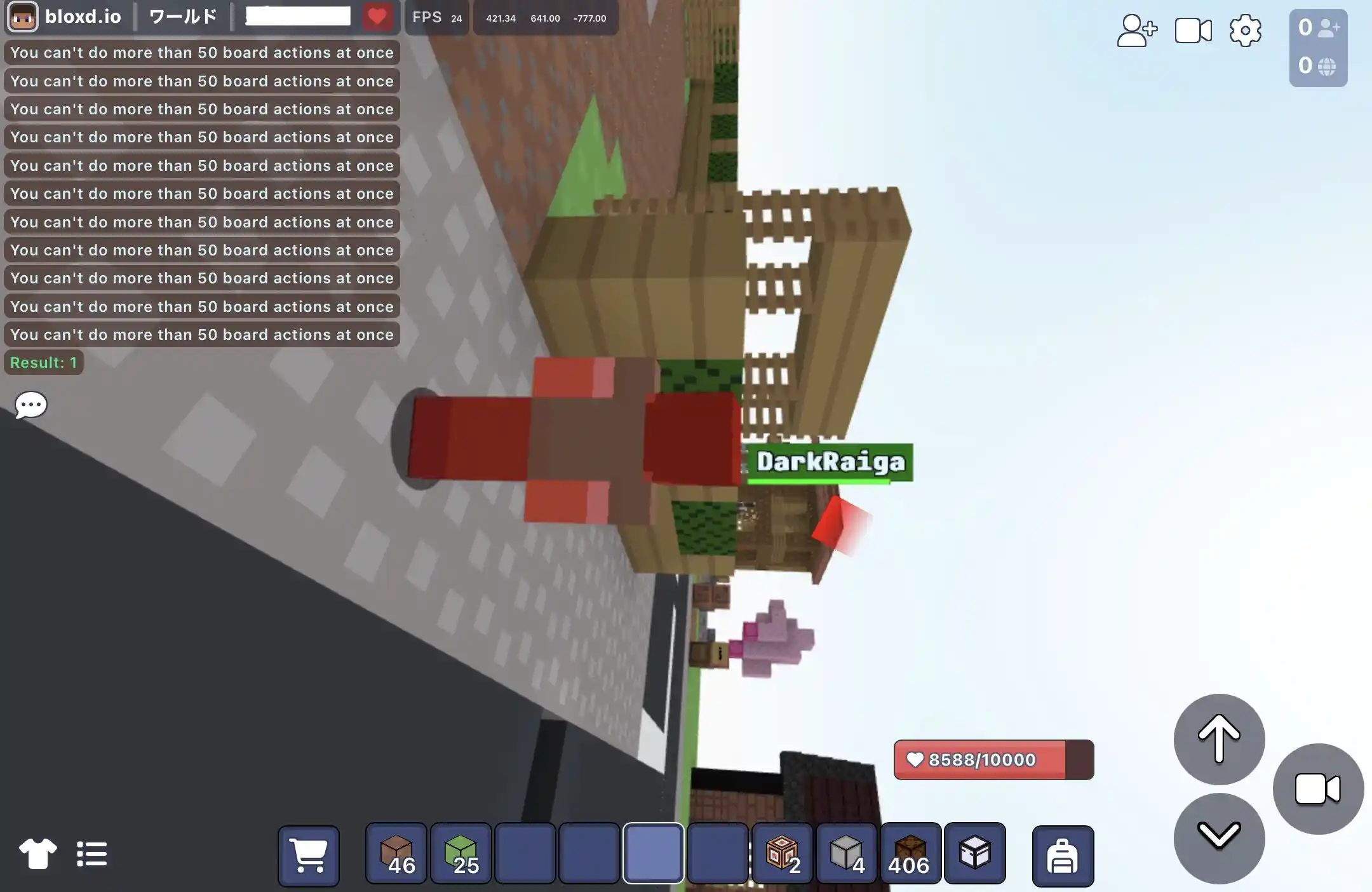
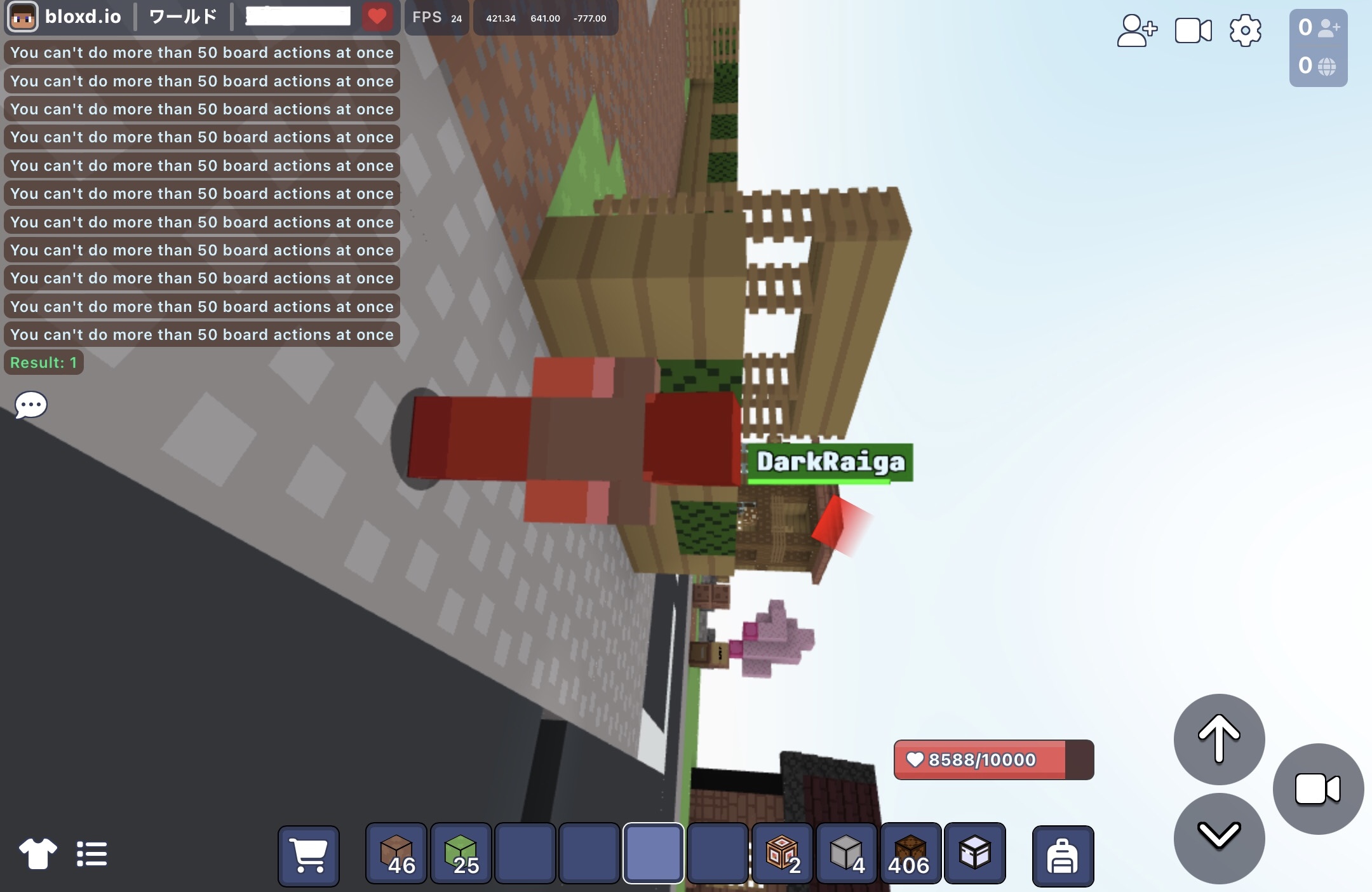
 - codeblockで体力を増やしてpress看板でダメージを連続的に受けたらこうなりました。
 -- ライガ 2025-05-08 (木) 18:18:19
 - カーブのやつ、そもそもできないな。。。 Codeblockにコードコピペしたんだけど、なんかだめなのかな.. -- 2025-05-08 (木) 21:05:50
- Code BlockじゃなくてCode Block開いたときに下に出てくるWorld Codeって紫のボタン押してそこにコピペするとできるはず -- 2025-05-08 (木) 23:39:53
- ありがとうございます -- 2025-05-09 (金) 07:39:52
- コマンド自分で作れるやつで、なんかコマンドいっぱい出てくるやつを表示しない方法ってなんですか -- 2025-05-09 (金) 15:37:38
- playerCommandの中にreturn trueを返すと表示されなくなるはず -- けんたき 2025-05-10 (土) 14:03:10
- 簡単階段のやつで、あんな感じのやつで、透明ブロックを平面に設置したいんです。setBlockRectじゃ、300までしか一度に置けなくて...階段みたいにできます? -- 2025-05-10 (土) 20:24:58
- うぅん...ちょっと難しくなるかも😥 -- bakadesu_JP_ 2025-05-14 (水) 17:26:13
- 曲線つくれるコマンド読んだけど,なぜか/setcurveのとこが書かれてなかったよ. -- kohaku_ 2025-05-16 (金) 14:03:46
- 体力増やすコマンドどうするんですか?しってるひとふれなろ名前はkagetomo -- kagetomo 2025-05-16 (金) 18:25:38
- api.setHealth(myId, 数値)だった気がする -- 2025-05-16 (金) 20:44:32
- タイムアタックできる奴作った。 -- sado 2025-05-31 (土) 20:00:36
- 改良してリセットできるようにしました -- sado 2025-06-01 (日) 11:39:27
- 円を作るプログラムと球を作るプログラムを書いてみた -- sado 2025-06-01 (日) 12:13:15
- 上にある違法アイテム入手コードのページに飛ぶと皆が知らない違法アイテムも入手出来るかもよ? -- Cucuruz_Doan 2025-06-06 (金) 08:01:17
- 正直、アイテム名だけでいい気がする -- けんたき 2025-06-06 (金) 18:07:27
- 建築鯖で使えるやつ作ってみたー -- sado 2025-06-08 (日) 10:23:03
- いいね -- けんたき 2025-06-08 (日) 12:41:42
- まるばつゲーム作ってみた -- sado 2025-06-19 (木) 18:26:10
- 貼り付けどうやるんん -- _kouki_777 2025-06-20 (金) 13:58:49
- コマンド/Press to Codeにあった、World Builderでグリッドを表示させる方法をこちらに移動させてもらいました(容量が多くなってきたのと、応用のコードなのじゃないか、と思ったため) -- 2025-06-20 (金) 17:11:49
- まるばつゲームをすこし改良 -- sado 2025-06-24 (火) 21:10:02
- このペ一ジ編集できない... -- sado 2025-07-31 (木) 21:32:35
- 何があったんだろ -- sado 2025-07-31 (木) 21:32:53
- もしかして荒らし対策か -- sado 2025-07-31 (木) 21:34:49
- なんかあらしぼうしのためらしい。 -- 2025-07-31 (木) 21:34:51
- 編集できるようになった。onPlayerChatのコードくぁしく書いた -- sado 2025-08-12 (火) 17:17:19
- 指定のブロックに何人か乗ったらtpするコマンド教えてください -- 2025-08-19 (火) 19:11:41
- 上の人へ、コマンドについての質問はコメントではなくQandAで質問してください
一部のコードを#codeで表示するようにしました
もし区切り方が不自然な箇所があったらお手数ですが直してもらえるとありがたいです -- 2025-08-21 (木) 03:03:56 - コードローダー公開しました。大規模なゲームを作るときに絶対に必要になるはず! -- けんたき 2025-09-23 (火) 22:42:23
- 美しい曲線を作成するコードをワールドコードに入れて使うと他のコマンドが使えないのって自分だけ? -- jp_hello_world19 2025-12-11 (木) 19:28:12
- コールバックは2つ以上あると片方しか機能しないよ。曲線のplayerCommandに混ぜるといいよ -- yuuto 2025-12-11 (木) 19:44:01
- tpコマンドとかが使えない -- jp_hello_world19 2025-12-11 (木) 19:48:32
- そしたらplayerCommandの一番下にあるreturn false;を取るとできるはず -- yuuto 2025-12-11 (木) 19:54:57
 Bloxd Japan Wiki :
  Bloxd Japan Wiki Discord:
 Bloxd.io Fandom Wiki:
 Bloxd Reddit (r/bloxd)